
عرض وفلترة جميع التبرعات
ديسمبر 14, 2023
[mhc_section admin_label=”قسم” fullwidth=”on” specialty=”off”][mhc_fullwidth_post_header admin_label=”عنوان المقالة بعرض كامل” title=”on” meta=”off” avatar=”off” author=”off” date=”off” categories=”off” comments=”off” views=”off” show_ratings=”off” show_excerpt=”off” show_share=”on” text_orientation=”center” text_color=”dark” featured_image=”on” featured_placement=”below” parallax=”off” parallax_method=”off” bg_color=”#dddddd” custom_paddings=”40″ size=”26px” title_bold=”on” text_shadow=”off” text_background=”off” text_bg_color=”#ffffff” overlay=”on” animation=”off”] [/mhc_fullwidth_post_header][/mhc_section][mhc_section admin_label=”section”][mhc_row admin_label=”row”][mhc_column type=”4_4″][mhc_text admin_label=”نص” background_layout=”light” text_orientation=”right” animation=”off”]
كيفية عرض وفلترة جميع التبرعات
1) من القائمة الموجودة في جهة اليمين نقوم باختيار المتجر الإلكتروني > التبرعات
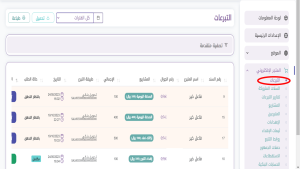
2) يمكنك تحديد فترة التبرعات من خلال الضغط على الزر بالاسفل
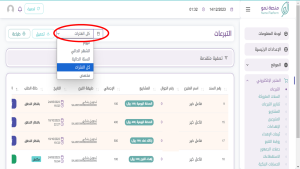
3) كما يمكنك استخدام التصفية المتقدمة لتحديد التبرعات خلال الفترة المختارة بناء على طريقة الدفع او حالة الطلب او كليهما ثم الضغط على زر تصفية
